Listen to this page
Tool
The Last Slide
A QR code, a contact card and scan statistics nobody else sees: why I built qr4prez.
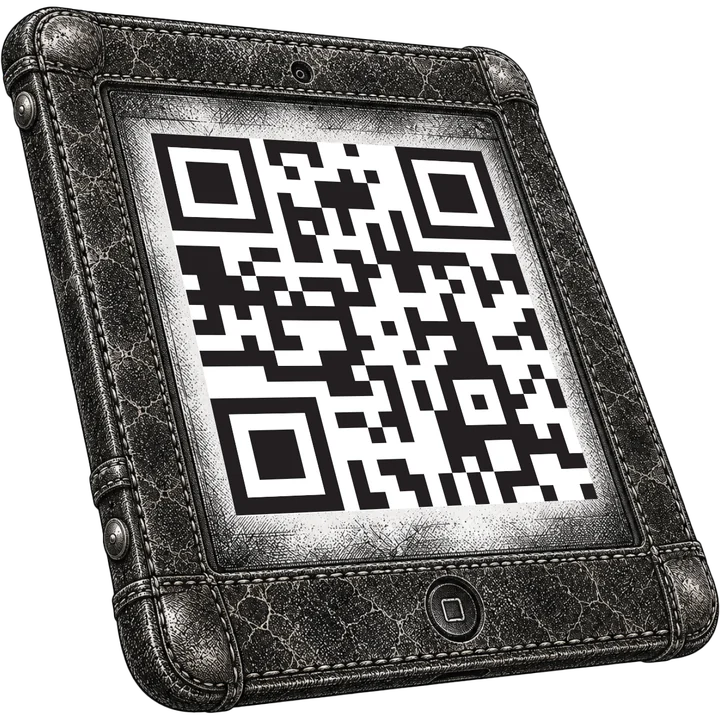 Create my contact QR code ↗
The talk ends. A few people walk up to the stage, phones in hand. Pleasantries are exchanged, then comes the awkward part. Spelling out an email address over the noise. Hunting for a LinkedIn profile among a dozen namesakes. Handing over a business card that will end up at the bottom of a jacket pocket. I lived that scene at every talk for years.
qr4prez was born from that scene. It is a small web tool. You fill in a form once. In return you get a QR code to put on your last slide. A QR code is that black-and-white checkerboard a phone camera knows how to read. The audience scans it. The contact card lands straight in the address book, with the photo, the job title and the links. A private page then counts the scans. How many, when, and from which city.
The tool is online at deraison.ai/qr4prez. It is free, in French and English, with no account to create.
Motivation
The paper business card has two flaws. The first is well known: it is handy, but it gets lost. The second bothered me more: it never gives you any news. Did it get used? Did anyone dig it out three weeks later? Did it survive the trip through the washing machine? You will never know.
The digital version has existed for a long time: the vCard. It is a small text file every phone knows how to read. It holds the name, phone number, email, employer, even the photo. The QR code acts as the bridge: the camera turns it into a link, the link opens the vCard. Neither of the two is new. What was missing was a tool that did both the way I wanted.
I wanted three things. For the audience, a single action: no app to install, nothing to fill in on their side, just the camera. For me, a way to know whether that last slide is good for anything. And I wanted to keep the data at home. That means running the server. I accept that. Everything sits on my own computer, the one left on to serve my pages. No outside company collects my audience's contacts. No cookie, no tracker, those little informers that recognize a visitor from one site to the next.
No tool did all three. Online QR generators come by the dozen. They keep your data on their machines, ask for an account, slip in a subscription. None of them tells you what becomes of the QR code once the room has emptied. Business-card exchange apps make both people install an app. qr4prez does the opposite: you host it, it asks for no account, the scan statistics are yours alone. The code is in the public domain. Anyone can install it on their server and change it.
It is a finished tool, not a weekend mockup. The interface comes in French and English. A recap email goes out after creation, so the three links are not lost if you close the tab. A guard stops the robots that fire bursts of requests. The icons and sharing tags are complete, so the preview stays clean when the link travels through a messaging app. The server log is kept with care. Between a prototype and a tool you dare show, the difference is that pile of invisible details.
How it works
It starts with a form: name, job title, email, phone, a square photo. To make the filling less boring, the empty fields suggest a different personality each time: Marie Curie, Grace Hopper, Nina Simone, Alan Turing… These are only examples, shown in gray. They are never submitted on your behalf.
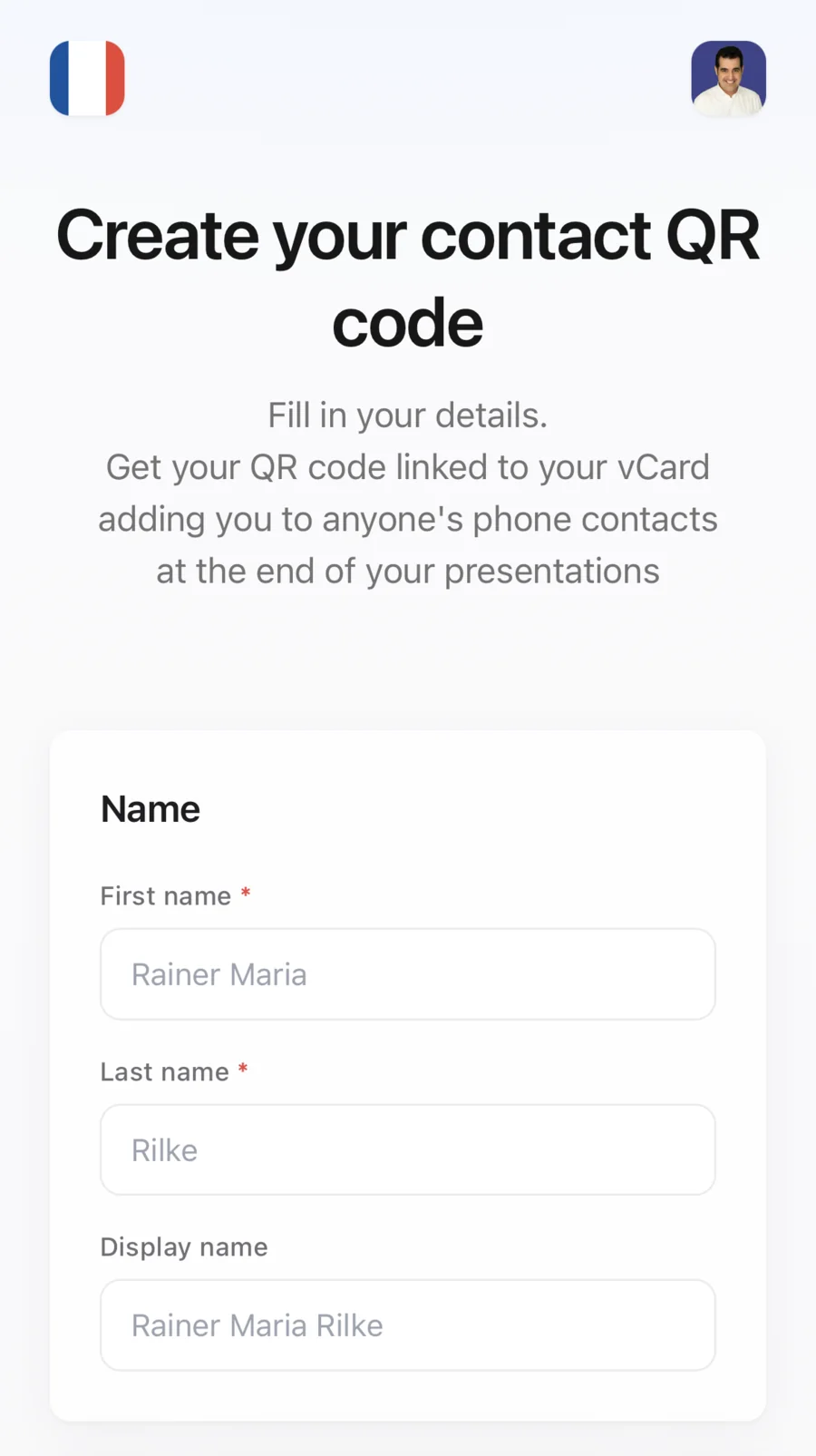
The form: five required fields, one square photo and a suggested personality to set an example.
The photo is what gave me the most trouble. Photos are almost always JPEG files, the format of cameras and phones. A JPEG file can hold, beside the image, a small technical comment added by whatever software processed it. Some versions of iOS, the iPhone operating system, dislike that comment. When that happens they erase the whole photo from the contact card, without showing any error at all. The contact arrives with no face. So qr4prez decodes the photo again, resizes it to 400 × 400 and saves it cleanly. It then erases the offending comment, byte by byte. Nobody will ever see that work. That is the point.
Each card then gets a web address nobody can guess. To build it, we use a hash function. It is a fingerprint machine: you give it a text, it returns a string of characters always the same length. Change a single letter of the text: the fingerprint changes completely. qr4prez gives it the first name, the last name and the exact time of submission. The machine it uses is called SHA-256; it is public and has been tested for a long time. The tool keeps the first 16 characters of the fingerprint. Each of those characters is a digit from 0 to 9 or a letter from a to f, so sixteen possibilities. Sixteen possibilities per character, across sixteen characters: the number of possible addresses reads
Eighteen billion billion. There is still a risk. It carries a lovely name: the birthday paradox. In a group of twenty-three people, there is a one-in-two chance that two of them were born on the same day. That is far more than people expect. In the same way, two cards could land on the same address. For \(n\) cards, that risk never goes above
With one million cards, that comes to about three chances in a hundred million. And the address itself holds no personal information: neither the name nor the date appears in it, only the fingerprint.
For the audience, the effort is minimal. The phone scans the QR code, opens the card's address, the server sends the vCard and records the visit.
This one works: scan it and you land on qr4prez.
Where the scans come from: geolocation
This is the part that surprises people most, so let us say exactly what happens. A phone does not send its GPS position when it scans a QR code. It could not, without your explicit permission. What the server receives is an IP address (Internet Protocol). Every connected device has one during its connection, so that answers know where to go back to. That address says nothing about your flat, and even less about you. It does say a lot about your operator. Access providers publish which address ranges they use in which region. Directories cross-check those declarations and return, for a given address, a country, a likely city and the coordinates of that city's center.
Let us be honest about the accuracy. A phone's GPS places you within a few meters. An IP address places you in a city, and is often wrong. On a phone using 4G, the connection sometimes comes out at the operator's end, two hundred kilometers away. In a company, everyone appears at headquarters. A VPN goes further still. The Virtual Private Network is a tunnel. It makes your connection come out somewhere else. The scan then lands in another country. So the map tells you roughly where the audience came from. It is not an address book. That is plenty for what is asked of it: knowing whether the Lyon talk left traces, or whether a talk was still traveling abroad three weeks later.
The statistics page gathers all of it. You are the only one who can see it. It shows four counters and a world map, where nearby scans group into numbered dots. Then comes a city ranking, then the detail of each visit: local time, device, operating system, browser and operator.
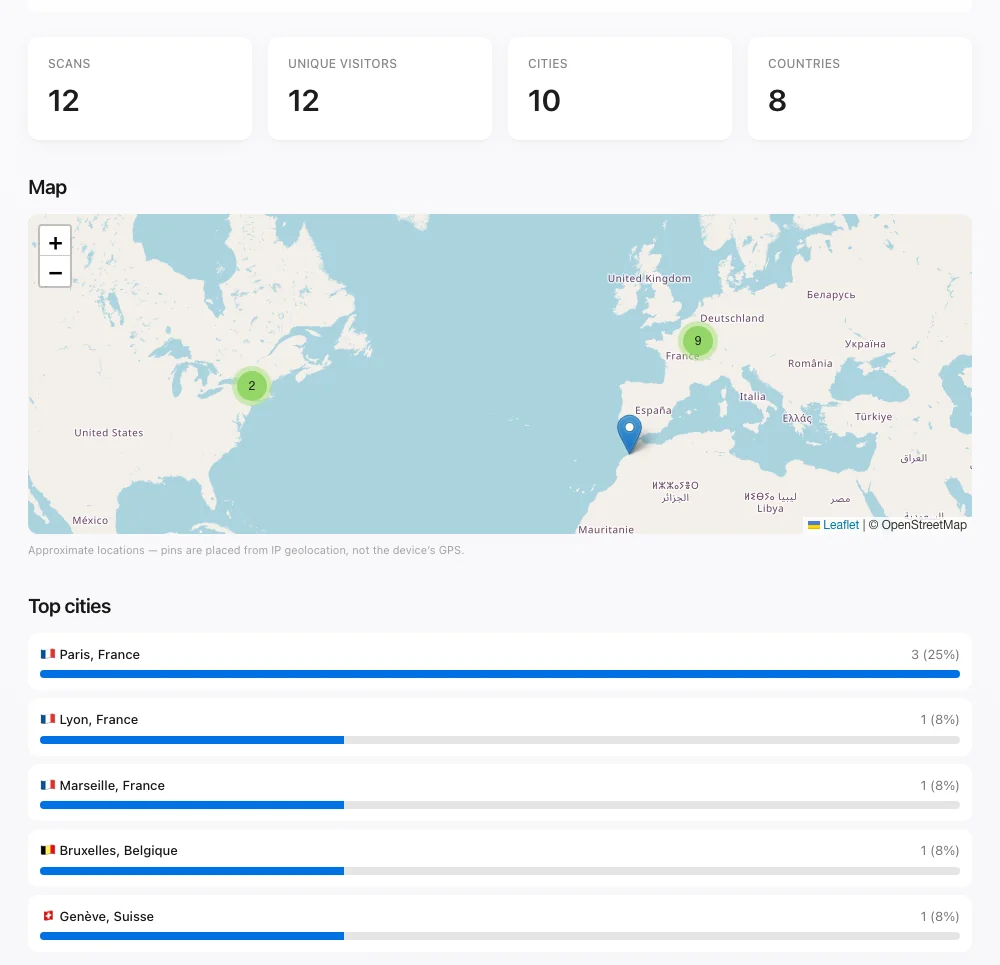
A demonstration card's statistics page: the map, the clusters and the city ranking. Coordinates are city centers, not device positions.
That leaves the real question: how far can you measure without becoming intrusive? There are three guardrails. Scans from the first minute are ignored, because that is you testing your own QR code, not a contact. A warning under the map says the dots are approximate city centers. Lastly, recent IP addresses are cut short on display. They are known as IPv6. They run to 128 binary digits. Only the first 48 stay visible. The number of addresses that opening covers comes to
So the displayed line points at an operator and a region, never at a person. A statistics page needs nothing more to say that a scan came from Lyon.
Conclusion
My talks now end with a QR code. The after-talk line still forms, thankfully. That is where the substance gets discussed. Objections get raised. Ideas get traded. But exchanging contact details takes two seconds, and nobody mangles an email address any more.
If you give talks, lectures or defenses, try it: deraison.ai/qr4prez. Fill in the form once. Put the QR code on your last slide. Then watch the scans draw the map of your audience.